Get access to Veo no Google AI Ultra plan required.
Google's Veo is normally tied to Google's own AI Ultra consumer plan. AiMixup ships Veo directly inside its Video Studio, alongside Sora, Runway and Wan — one subscription, no separate Google plan needed.
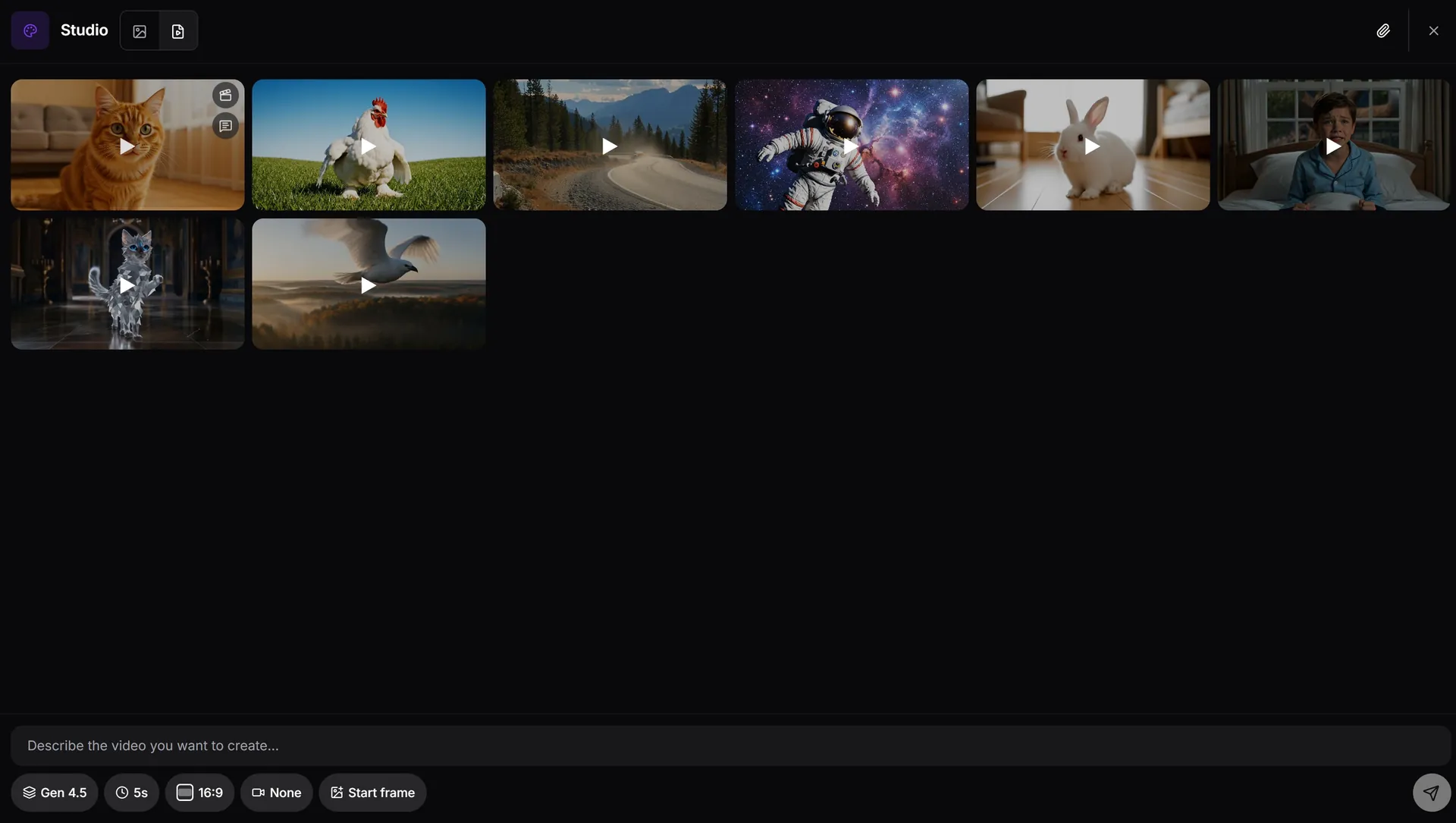
What Veo access looks like in AiMixup
Veo, in the same workspace as chat
No separate Google account or app — generate with Veo from the same Studio you already use for images and other video models.
Not locked to one vendor's model
Switch between Veo, Sora, Runway and Wan per generation instead of committing to a single model's plan.
One credit pool
Veo generations draw from the same monthly credits as everything else on your plan — no separate video budget to track.
Veo shouldn't require a whole separate Google plan. It's one model in a wider Studio.
Try Veo free to start
Create your account and get bonus credits to try Video Studio.
Frequently asked questions
Do I need a Google account to use Veo through AiMixup?
No — Veo is available as one of the models in AiMixup's Video Studio, generated through your AiMixup account and credits.
Is this the real Veo model?
Yes — Veo is integrated directly as one of the four video generation models in the Studio, alongside Sora, Runway and Wan.
What plan do I need for Veo access?
Image & Video Studio is included from the Light plan ($5/mo) and on every Team plan — it isn't part of the Free tier.
Can I compare Veo output against other models?
Yes — generate the same prompt with Veo, Sora, Runway or Wan and compare results before picking one to keep.