
Smart Folders for AI Context That Scale
The cost of bad AI output usually is not the model. It is the mess around the model. When teams ask for better results, what they often need is smarter folders for AI context - a way to keep files, conversations, decisions, and project history attached to the work instead of scattered across tabs, drives, and one-off prompts.
That sounds simple until a product team is juggling specs, customer calls, Jira exports, design notes, and five different AI tools that all forget what happened yesterday. At that point, context is not a convenience feature. It is the operating layer. If your AI cannot see the right materials at the right moment, you get generic answers, repeated setup, and wasted cycles pretending to be productivity.
What smart folders for AI context actually do
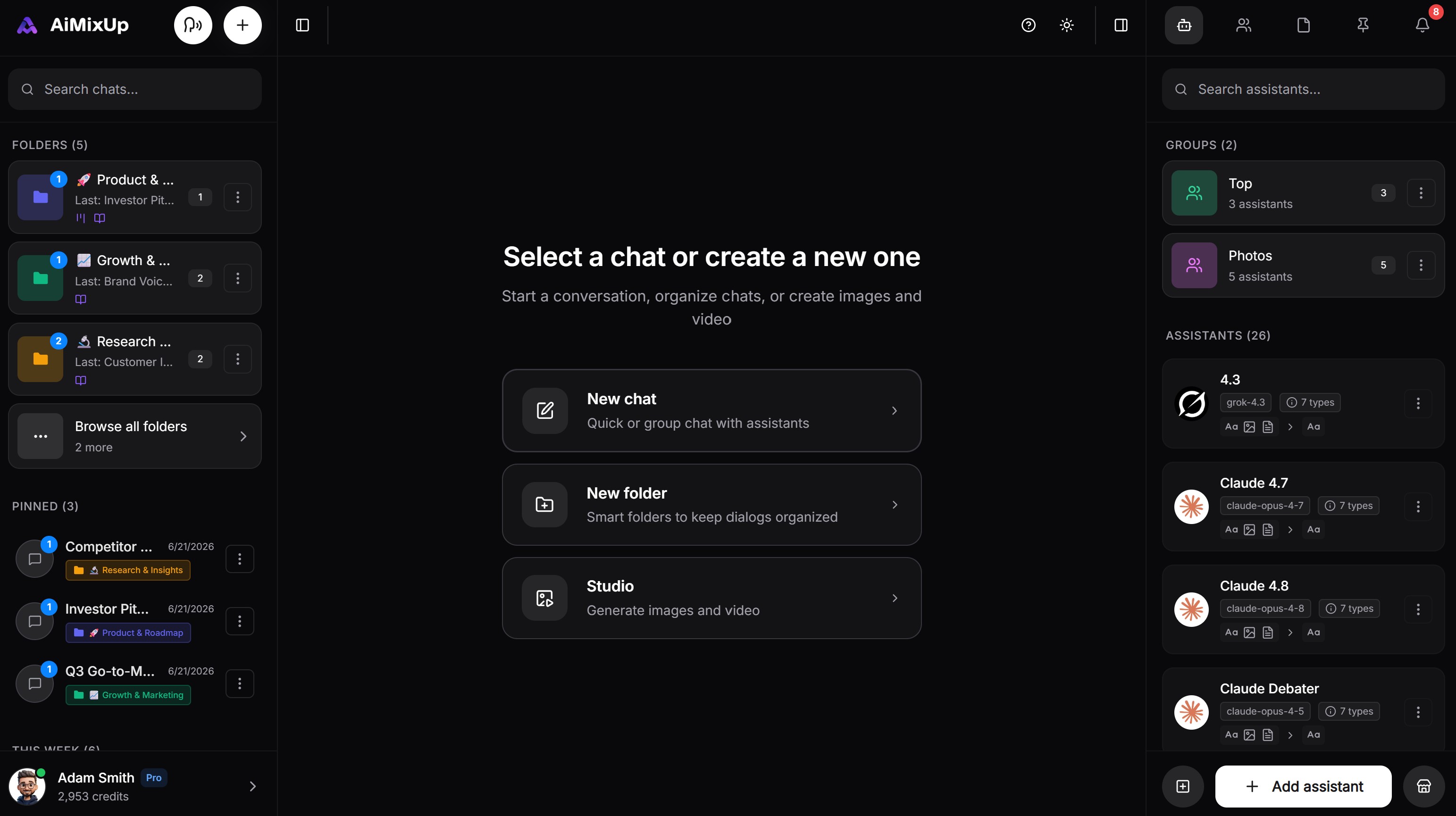
You can see the folders on the left, all project information is in there
Regular folders store files. Smart folders for AI context store working reality. They group the assets an AI needs to produce relevant output: documents, transcripts, links, notes, tasks, prompts, and prior decisions. More importantly, they preserve relationships between those assets so the AI is not guessing what matters.
That difference changes the quality of execution. A normal folder might hold a product requirements doc and three customer interview transcripts. A smart folder tells the system those artifacts belong to the same launch, that the latest pricing note overrides an older one, that the roadmap draft is still in review, and that marketing needs outputs written for a mid-market SaaS audience. Now the AI is not starting cold.
This matters because most teams are still treating AI like a chat window with optional attachments. That works for quick drafting. It breaks the moment work becomes cross-functional, high-stakes, or iterative. The real challenge is not generating text. It is maintaining context across time, people, and models.
Why context breaks in real teams
Context loss usually happens in four places at once. Files live in one tool, meetings in another, decisions in chat, and execution in yet another system. Then someone copies fragments into a prompt and hopes the model fills the gaps.
That process is slow, but speed is only part of the problem. Trust drops fast when teams cannot verify what the AI saw. If one person uploads a brief and another uploads an outdated version, results drift. If a meeting transcript never makes it into the prompt, the model misses customer objections that should shape the messaging. If engineering and product are using different source sets, handoffs become guesswork.
Smart folders for AI context address that by creating a shared source of truth for the work itself. Instead of rebuilding the prompt from scratch every time, the team works from a living context layer that follows the project.
The difference between storage and execution
A lot of systems claim to organize knowledge. Fewer are built for execution. That is the line that matters.
Storage answers, "Where is the file?" Execution answers, "What should the AI and the team do with this file right now?" A smart folder built for execution does not just archive material. It makes that material available inside drafting, planning, analysis, meeting follow-up, coding, and review flows.
For example, a growth team preparing a launch does not need a prettier document repository. It needs one place where the positioning doc, competitor research, call summaries, campaign drafts, and creative feedback all stay attached to the same project context. Then the AI can write ad variants, summarize risks, extract claims from customer language, and update the launch checklist without the team restating the job every time.
That is where this category gets practical. Smart folders are not about tidiness. They reduce setup time, lower prompt friction, and improve output consistency across multiple contributors.
What good smart folders for AI context should include
If the goal is real work, not demos, smart folders need more than nested file storage. They should support mixed context. That means documents, spreadsheets, PDFs, transcripts, notes, web research, and generated outputs can live together without forcing the team to flatten everything into one format.
They also need recency and relevance logic. Not every file deserves equal weight. A system that cannot distinguish between an active spec and a deprecated one will still create confusion, just faster. The best setups make it clear what is current, what is supporting material, and what should be ignored.
Permissioning matters too. Enterprise teams cannot treat context as a free-for-all. Product, legal, finance, and engineering often need shared collaboration with controlled visibility. Smart folders become far more valuable when they preserve context without breaking governance.
Finally, they should work across models. Different AIs are better at different jobs. If context is trapped inside one assistant, teams are back to tool fragmentation. A stronger setup lets the same folder power writing, analysis, coding, call follow-up, and image workflows from a single workspace.
How teams use smart folders without slowing down
The best implementations are lightweight at the start. You do not need a six-month taxonomy project. In fact, overdesign is one of the fastest ways to kill adoption.
Start with work that already has repeated context. Product launches, customer research, RFP responses, sprint planning, incident reviews, and sales enablement are good candidates because teams revisit the same materials often. Build folders around active projects, not abstract knowledge categories. That keeps the structure aligned to outcomes.
Inside each folder, group context by how people actually work. A launch folder might contain the brief, target audience notes, key claims, meeting transcripts, design references, open questions, and generated drafts. The AI can then pull from the complete operational picture instead of a random subset.
There is a trade-off here. Broader folders give richer context, but they can also introduce noise. If everything for the quarter lives in one giant bucket, retrieval gets sloppy and outputs become less precise. Smaller folders improve focus, but they may miss dependencies across teams. The right balance depends on the workflow. For tightly scoped deliverables, keep folders narrow. For ongoing programs with many contributors, use a parent project context with more targeted subfolders.
Smart folders and multi-AI teamwork
This is where the model conversation gets real. Teams do not use one AI for everything anymore. One model may be better at summarizing calls, another at structured analysis, another at coding, another at creative drafting. Without a shared context layer, switching models means re-uploading files, re-explaining the project, and rechecking assumptions.
Smart folders solve that operational drag. They give every approved model access to the same project reality, so comparisons are cleaner and handoffs are faster. That is especially valuable when teams want to pressure-test outputs instead of trusting a single response.
A product manager can ask one model to synthesize customer interviews, another to challenge the proposed roadmap, and another to turn approved decisions into engineering tickets. Same folder, different strengths, less setup. That is how AI starts behaving like a coordinated team layer instead of a pile of isolated assistants.
Platforms built around this idea, including AiMixUp, push the category further by combining shared workspaces, multiple AIs, calls, files, and execution tools in one environment. That matters because context gets stronger when it does not have to travel.
Where smart folders fail
Not every folder labeled smart is useful. Some are just document bins with a better interface. Others over-automate classification and end up making the system harder to trust.
The warning sign is simple: if the team still spends too much time hunting for the right source, re-explaining the project, or correcting AI outputs that missed obvious context, the folder layer is not doing its job.
Another failure mode is stale context. An AI can be confidently wrong when it relies on old strategy docs, retired pricing, or superseded product decisions. Smart folders need maintenance. That does not mean constant cleanup, but it does mean clear ownership. Someone has to mark what is current.
There is also the issue of false completeness. A folder can look organized while missing the most important source material, such as recent customer calls or legal feedback. Teams should treat smart folders as living project infrastructure, not a filing cabinet they revisit after the fact.
What this changes for operators
For founders, technical leaders, and team operators, smart folders for AI context are not a minor productivity feature. They are a control system. They shape how fast work moves, how consistently teams operate, and how much confidence you can place in AI-assisted output.
When context is organized at the project level, AI stops acting like a clever intern with memory loss. It becomes far more useful in the middle of actual execution - writing, reviewing, planning, analyzing, and shipping. Teams spend less time reconstructing the past and more time moving the work forward.
The companies that get the most from AI will not be the ones with the most prompts. They will be the ones that build context into the workspace itself, so every file, conversation, and decision has a place to do useful work tomorrow.
Related Articles
Enjoyed this? Try AiMixup with free credits
Drop your email, create your account, and we'll load bonus AI credits into it so you can try everything.