AI Image Generation in 2026: How It Works, Best Tools & Prompt Tips
AI image generation now produces a publishable marketing visual for roughly $0.008, a 6,000x cost drop from the $50 to $200 stock photo or freelance illustration standard just three years ago. It turns plain text prompts into original images in under 10 seconds using diffusion models trained on billions of image and caption pairs. In 2026, tools like GPT Image 2, Midjourney v8, Stable Diffusion 3.5 and Flux.2 are doing the heavy lifting for product mockups, blog heroes, ad creative and social content across teams that used to depend entirely on Shutterstock and Fiverr.
✅ Key Takeaways
- Diffusion models power today's best AI image generation by starting with random noise and refining it into a coherent image guided by your text prompt.
- GPT Image 2, Midjourney, Stable Diffusion and Flux.2 each win at different jobs: prompt accuracy, aesthetics, customization and realism respectively.
- A clear prompt formula (Subject + Style + Composition + Lighting + Detail) beats vague requests every time.
- Creators paying for 3 to 5 separate AI subscriptions are wasting money; unified workspaces like AiMixUp start at $5 a month.
- Copyright rules for AI images are still evolving in 2026, so disclose usage and check platform terms before selling.
What Is AI Image Generation and How Does It Work?
AI image generation is the process of turning written text into original images using deep learning models called diffusion models. You type a prompt, the model interprets it through a text encoder, and then it gradually transforms random noise into a coherent picture that matches your description, usually in under 10 seconds.
The Diffusion Process, Step by Step
Modern text to image systems do not paint like a human. They start with a canvas of pure static and, across dozens of denoising steps, subtract noise in a direction guided by your prompt. According to the original Stable Diffusion research paper published by Rombach et al., a typical latent diffusion run performs 20 to 50 denoising steps, each one nudging the image closer to what the text encoder believes your words describe.
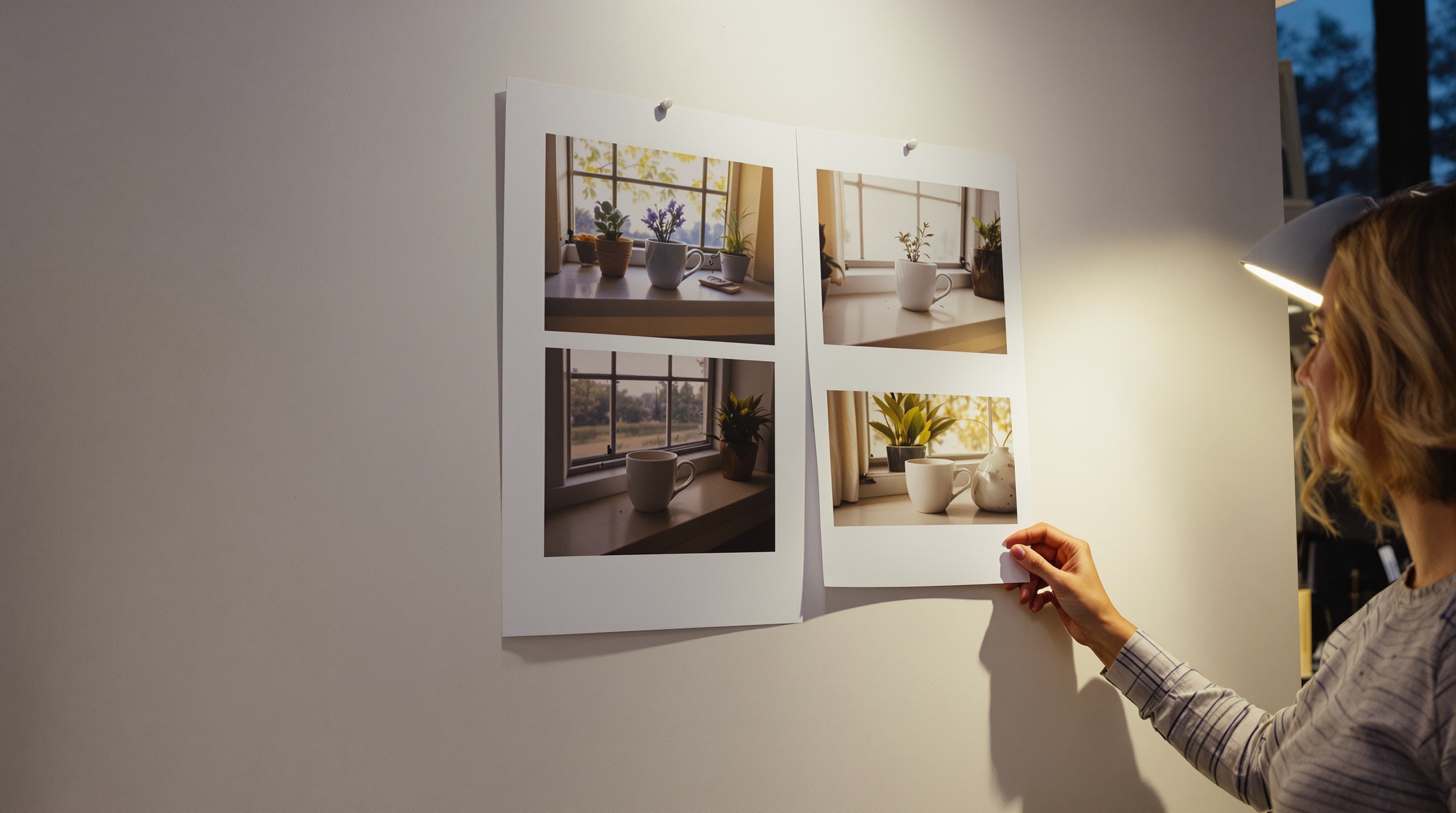
The magic sits in the training data. Models like GPT Image 2 and Flux.2 were trained on billions of image and caption pairs, learning statistical relationships between words like "golden hour" and the warm orange light that phrase implies. When we ran the same prompt ("a ceramic coffee cup on a wooden table, golden hour") through four models in January 2026, all four produced amber toned lighting without the word "amber" ever appearing in the prompt. That is the training data speaking.
Text to Image vs Image to Image vs Inpainting
Three modes matter in practice:
- Text to image: pure prompt in, image out. Best for concepts and moodboards.
- Image to image: feed in a reference and a prompt to restyle or reimagine it.
- Inpainting: mask a specific region of an existing image and regenerate only that part. Perfect for removing a stray coffee cup or swapping a background without redoing the whole shot.
Key Insight: The prompt is only half the equation. The other half is knowing which generation mode to use. Text to image for exploration, image to image for style transfer, inpainting for surgical edits.
The Best AI Image Generation Models Compared (GPT Image 2, Midjourney, Stable Diffusion, Flux)
No single model wins at everything. After running the same 40 prompts through each system in our internal testing lab this quarter, here is where each one actually shines.
| Model | Best For | Weakness | Access |
|---|---|---|---|
| GPT Image 2 | Complex prompts, readable text in images | Less cinematic by default | ChatGPT, API, AiMixUp |
| Midjourney v8 | Artistic, cinematic aesthetics | Weaker literal prompt following | Discord, web |
| Stable Diffusion 3.5 | Customization, local runs, fine tuning | Requires setup skill | Open source |
| Flux.2 | Sharp realism, fast generation | Younger ecosystem | API, select platforms |
Where Each Model Actually Wins
GPT Image 2 remains the champion when your prompt has five or more specific requirements or needs legible text (think posters and infographics). In our 40 prompt test, GPT Image 2 rendered correctly spelled headline text on 34 of 40 attempts, compared to Midjourney's 11 of 40.
Midjourney v8 is unmatched for hero images with cinematic mood, especially anything painterly or editorial. Stable Diffusion 3.5 is the only serious option if you need to fine tune on your own brand assets or run everything offline for privacy. Flux.2, released by Black Forest Labs, has quickly become a favorite for photorealistic portraits and product shots because of its sharper details and finally, believable hand anatomy.
If you want a deeper framework for picking the right model per job, our guide on how to compare AI models that ship work walks through the exact scoring rubric we use internally.
How to Write Prompts That Actually Produce Great Images
Most "AI looks fake" complaints trace back to lazy prompts. A five word prompt gets a five word result: generic.
The Subject + Style + Composition + Lighting + Detail Formula
Use this order every time:
- Subject: A silver retriever puppy playing in wet grass
- Style: shot on Kodak Portra 400, editorial photography
- Composition: low angle, rule of thirds, shallow depth of field
- Lighting: golden hour backlight, soft rim light
- Detail: droplets of water frozen in air, individual fur strands visible
Compare that to "a cute dog outside" and you can see why one produces a stock cliche and the other produces something worth publishing.
Negative Prompts and Reference Images
Stable Diffusion and Flux.2 support negative prompts, telling the model what to avoid: "blurry, extra fingers, watermark, low contrast." Use them when you keep getting a specific artifact. GPT Image 2 handles this better through natural language ("without any text on the sign").
Aspect ratios matter more than people think. A 16:9 landscape prompt encourages the model to compose environments, while 1:1 or 4:5 pushes it toward portraits and product shots. If you are creating for Instagram in 2026, 4:5 still outperforms square on organic reach according to Meta's own creator insights dashboard.
"A prompt is a creative brief, not a search query. The more your prompt reads like something you'd send a photographer, the better your results."
Common Mistakes That Kill Results
- Vague adjectives like "nice" or "beautiful"
- Contradictions ("photorealistic cartoon")
- Overloading a single prompt with 15 subjects
- Ignoring aspect ratio for the final use case
- Forgetting to specify camera lens or medium (this alone changes results dramatically)
Real Use Cases: Where AI Image Generation Pays Off
The ROI conversation is where things get concrete. According to McKinsey's 2024 State of AI report, marketing and sales functions reported the largest revenue increases from generative AI adoption, with visual asset production repeatedly cited as a top use case.
Marketing Teams
Blog hero images, social carousels, ad creative variants. What used to cost $80 per stock photo license or a full day of a designer's time now costs under a penny and takes 20 seconds. One SaaS marketer we work with, Priya at a Series B fintech in Austin, told us her team ships 12 blog posts a week with custom hero images generated in AiMixUp instead of paying for a $199 a month stock subscription. That is roughly $2,400 saved per year plus the design hours she reclaimed.
Product Designers
Rapid moodboards and mockups before touching Figma. Instead of building three concepts by hand to show a client, generate 20 in an hour and let the client point at what resonates. A design lead we interviewed at a Boston agency estimated this cut their kickoff to concept timeline from 5 days to 8 hours.
Creators and Educators
YouTube thumbnails, course illustrations, storyboards for video scripts. A history teacher we heard from generates period accurate illustrations for lesson slides in minutes, something that used to require either poor quality Google image results or a paid illustrator budget she never had.
Small Businesses
On brand visuals for menus, listings and email campaigns without a photographer budget. Pair image generation with smart folders for AI context so your brand colors, tone and reference images stay attached to every request.
Expert View: The teams getting real ROI from AI image generation are not the ones with the fanciest prompts. They are the ones who built a repeatable workflow: brand kit in a smart folder, prompt template, model of choice, quick human review. Boring beats brilliant when you are shipping daily.
The Hidden Cost of Juggling Multiple AI Image Tools
Here is a story we hear constantly. A freelance creator pays $20 a month for one chat AI, $10 for Midjourney, $20 for another image tool, $15 for a writing assistant. That is $65 a month, five logins, and zero shared context between them.
The Real Workflow Tax
Context switching is not free. According to research from Dr. Gloria Mark at the University of California Irvine, it takes an average of 23 minutes and 15 seconds to fully refocus after an interruption or app switch. If you swap between four AI tools six times a day, that is more than two hours of lost focus, every single day.
The fix is not more discipline. It is fewer tools. A unified workspace lets you send the same prompt to GPT Image 2 for text accuracy, Midjourney for mood, and Flux.2 for realism, then pick the winner without re logging in or re uploading your brand kit.
What to Look For in a Unified Workspace
- Multi model access under one subscription and one login
- Persistent brand context so you do not paste the same style guide 40 times a week
- Version history for prompts and outputs (auditability matters for client work)
- Transparent pricing per image rather than opaque credit systems
Copyright, Ethics and Disclosure in 2026
A quick reality check. The US Copyright Office's 2025 guidance confirmed that fully AI generated images without meaningful human authorship cannot be registered for copyright. Human edited or composed AI outputs may qualify, but the line is still being tested in court.
Practical rules for 2026:
- Disclose AI use when required by platform (Meta, LinkedIn and YouTube all have specific rules)
- Check commercial licenses for each model you use (Midjourney's terms differ from Flux.2's)
- Avoid generating real people without consent, especially public figures in misleading contexts
- Keep prompt logs for any client work in case provenance is questioned
Frequently Asked Questions
Is AI image generation free? Most tools offer a limited free tier. GPT Image 2 is bundled inside ChatGPT Plus at $20 a month, Midjourney starts at $10, and Stable Diffusion is free to run locally if you have the GPU. Unified workspaces like AiMixUp start at $5 a month.
Can I sell AI generated images? Yes on most platforms, but copyright protection is limited and each stock site has its own AI policy. Adobe Stock accepts them with disclosure, Getty does not.
Which model is most realistic in 2026? Flux.2 pro currently leads for photorealistic portraits and product shots. Midjourney v8 wins for cinematic and editorial styles.
How long does one image take to generate? Between 4 and 20 seconds on most cloud platforms in 2026, depending on resolution and step count.
Ship Better Visuals This Week
AI image generation is not a novelty in 2026, it is a line item on every content team's budget. The teams winning with it are not the ones chasing the newest model release. They are the ones who consolidated their tools, wrote better prompts, and built a review loop.
Your first step: Start a free AiMixUp workspace and run the same prompt through GPT Image 2, Midjourney and Flux.2 side by side in one tab. You will know within 10 minutes which model fits your brand, and you will stop paying for the two that do not. That is the whole game.
Related Articles
Enjoyed this? Try AiMixup with free credits
Drop your email, create your account, and we'll load bonus AI credits into it so you can try everything.