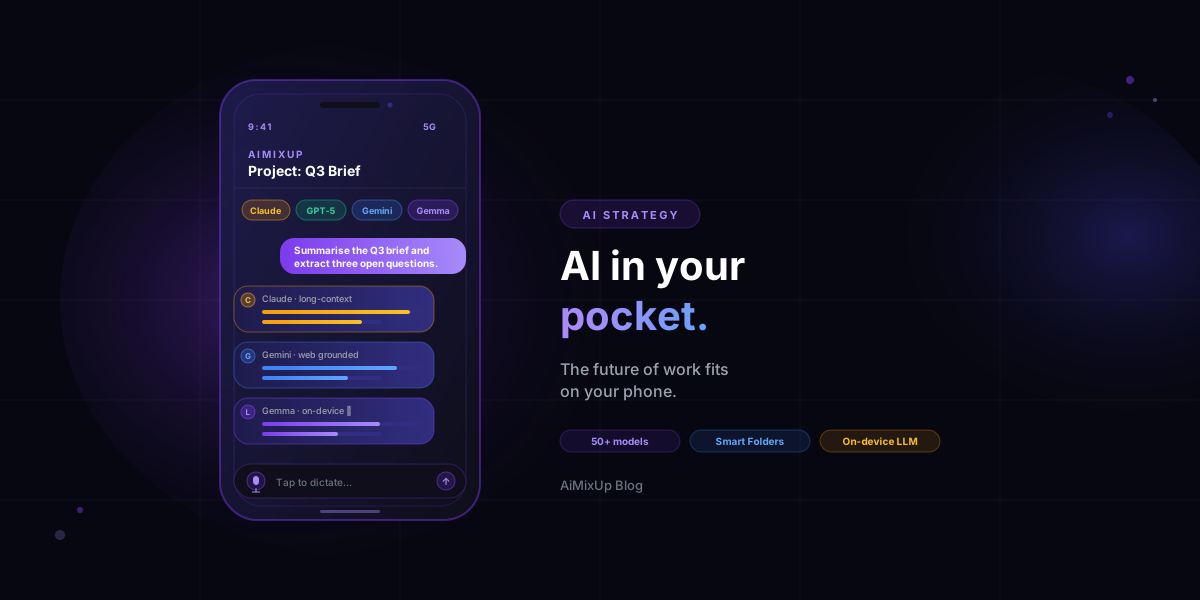
AI on Your Phone: Why the Future of Work Fits in Your Pocket
TL;DR
The next decade of knowledge work will not happen at a desk. A modern AI workspace runs on your phone — multi-model chat, file-aware Smart Spaces, voice input, and on-device LLMs for private prompts — and follows you between meetings, commutes and the field. Mobile-first AI is no longer a stripped-down companion to the desktop app; in 2026, it is the primary surface for the work itself.
The desk is becoming optional
Five years ago, “working with AI” meant a tab in a browser on a laptop, parked at a desk, plugged into power. In 2026 it looks more like this: a strategist drafts a positioning brief on the train, dictating to Claude through her earbuds; a contractor scans a one-page receipt with the phone camera and asks Gemini to extract the line items into a Smart Space; an engineer pings DeepSeek from a coffee shop with a code snippet and pastes the answer back into the team chat. None of that requires a laptop.
The phone is no longer the second screen. For an increasing share of AI-native work it is the only screen. The interesting question is not whether mobile AI matters — it is what a real, end-to-end AI workspace on the phone looks like in 2026, and how it changes the way teams ship work.
Why the phone wins for AI workflows
AI plus mobile is a stronger pairing than AI plus desktop, for four practical reasons:
| Why mobile | What it unlocks |
|---|---|
| Always with you | Capture an idea, a question or a quote the moment it appears. The cost of starting a prompt is zero. |
| Voice as input | Dictation is faster than typing for long-form prompts and meeting notes. Mobile makes voice the default input, not a feature. |
| Camera as input | Whiteboards, contracts, receipts, screenshots from a colleague’s screen — all become AI inputs in one tap. |
| On-device compute | Modern phones can run small open models (Gemma, Phi, Llama) locally. Sensitive prompts never have to leave the device. |
What a real mobile AI workspace looks like
A “mobile AI workspace” is not just a chat textbox. To replace the desktop, the phone has to handle the same four things you actually do all day:
1. Pick the model that fits the task
Different prompts deserve different models. A real mobile AI app lets you choose between frontier providers (Claude, ChatGPT, Gemini, Grok, DeepSeek) and small on-device models — right from the phone, without separate apps for each. Comparison King covers the side-by-side workflow in depth; the point here is that the same choice has to live on the phone, not just the desktop.
2. Carry your project context with you
A 30-second prompt is useless if it cannot reach last week’s context. Smart Spaces solve that — project-scoped memory across every chat in the space, synced to whatever device you happen to be on. You start a thread on the laptop, finish it from the train.
3. Use files, not just text
PDF contracts, DOCX briefs, XLSX trackers, whiteboard photos — every kind of source needs to be droppable into the chat. Server-side conversion makes the same uploaded file readable by every model you compare, without re-uploading anywhere else.
4. Keep sensitive things private
Some prompts should never leave the device: personal medical questions, sensitive product internals, anything covered by NDA. On-device models — Gemma running locally on the phone — let you draft those prompts without any network round-trip.
How AiMixUp does mobile-first AI
AiMixUp is built around this exact mobile-first model. The Android app is a full peer of the web app, not a stripped-down companion: same 50+ models, same Smart Spaces, same file pipeline. Smart Spaces sync across devices, so the project you started on a laptop continues on the phone with no copy-paste in between. iOS is coming next; for the launch window, Android is the supported mobile platform.
50+ models, one pocket
Pick Claude, ChatGPT, Gemini, Grok, DeepSeek — or a local Gemma — from the same Android UI. No tab juggling, no per-provider apps.
Synced Smart Spaces
Project memory follows you between desktop and phone. Pause on the laptop, resume on the train, ship by the time you arrive.
Local LLM on device
Run Gemma on the phone for private prompts. Sensitive context never has to leave your hardware.
Three mobile-AI workflows that change how you work
1. The dictated daily brief
On the way to a meeting, dictate a two-paragraph brief into the phone. Ask the model to extract a checklist of action items, three open questions, and the one decision that needs to be made. By the time you sit down, you have a structured agenda you did not have to type.
2. The field photo to insight
Snap a photo of a whiteboard, a printed contract, a competitor’s product page, or a handwritten note. Drop it into a Smart Space and ask the assistant to summarise, extract figures, or compare against a previous photo. The phone’s camera becomes a research tool, not just a viewfinder.
3. The private second-opinion
When the question is sensitive — an internal HR situation, a personal medical detail, an unannounced product spec — route the prompt to the on-device model first. If the answer is good enough, ship it. If you need a better one, the cloud model is one tap away.
Privacy, in plain English
Cloud requests go through the paid API tier of each provider, which means none of them train their models on your prompts. AiMixUp itself does not train on your content either. Connections are encrypted, message bodies are encrypted at rest, and the encryption key is stored separately from the database. On-device prompts never leave your phone — full stop. Detail on our Security page.
Frequently asked questions
Is the AiMixUp mobile app a stripped-down version of the desktop?
No. The Android app supports the same 50+ models, the same Smart Spaces, file uploads and image generation as the web app. Mobile is a peer surface, not a companion.
Is there an iOS app?
iOS is on the roadmap and not part of the launch window. For mobile right now, AiMixUp ships an Android app; iPhone users can use the web app in the browser.
What does “on-device LLM” mean in practice?
A small open-weights model — for example Gemma — runs on the phone’s own chip. Prompts and answers stay on the device, with no network round-trip, which is what makes it suitable for sensitive content.
Will I burn through battery running a model on the phone?
Modern flagship Android chips run small models efficiently for short prompts. Long, on-device generations cost more energy than a cloud call — the trade-off you make in exchange for privacy.
Can I start a chat on the laptop and continue it on the phone?
Yes. Smart Spaces sync chats and project context across devices, so you can hand off mid-thread without copy-paste.
Where to start
Pick one recurring task you currently do at the laptop — daily standup notes, expense triage, research summaries — and run it on the phone for a week. The honest test is whether the result quality matches the desk version. Most days it will. The rest of the week, the desk is just there for two-monitor coding.
Take the AI workspace with you
Sign up for AiMixUp, install the Android app, and run your next prompt from the bus stop. Same models, same context, no laptop required.
See plans →Related reading
Enjoyed this? Try AiMixup with free credits
Drop your email, create your account, and we'll load bonus AI credits into it so you can try everything.